

More overseas companies are building teams in the Philippines, from a single virtual assistant to a full offshore department. Hiring is usually the easy part. Getting each person a reliable laptop, headset and monitor, and keeping track of that equipment from another country, is where things tend to fall apart.
This guide is for businesses in Australia, the US and elsewhere with remote or offshore staff in the Philippines. It covers how IT procurement works when your team is in one country and your company is in another, the choice between leasing and buying, and what to sort out before your next hire starts.
Why shipping laptops from overseas rarely works
The first instinct is often to buy laptops at home and post them to the Philippines. In practice, this tends to cause more problems than it solves.
- Customs and import costs: Equipment sent into the Philippines goes through customs clearance and attracts import VAT, plus brokerage and courier fees. Parcels can be held for days or weeks while paperwork is sorted out.
- Warranty that doesn't travel: A laptop bought in Sydney or Chicago may not be covered by on-site support in Cebu or Davao. If it fails, your staff member could be without a working device while it's shipped back or repaired.
- Power, keyboard and parts: Chargers, plugs and replacement parts may not suit local conditions or be easy to source quickly.
Sourcing equipment inside the Philippines, from a supplier who can deliver directly to staff, avoids most of these issues.
Leasing vs buying for offshore teams
There are two main ways to provide equipment for offshore staff in the Philippines: buy it outright or use a leasing or device as a service model.
- Buying: you own the equipment and pay upfront. It can work out cheaper over a long period, but you carry the cost, the risk and the job of retrieving devices when people leave.
- IT equipment leasing: you pay a regular fee to use the equipment for a set term. Costs are predictable, and it suits teams that are growing quickly, testing a new market or hiring on fixed-term projects.
- Device as a service: a leasing model that usually bundles the hardware with services such as set-up, support, replacement and retrieval. Terms and inclusions vary a lot between providers, so compare them line by line.
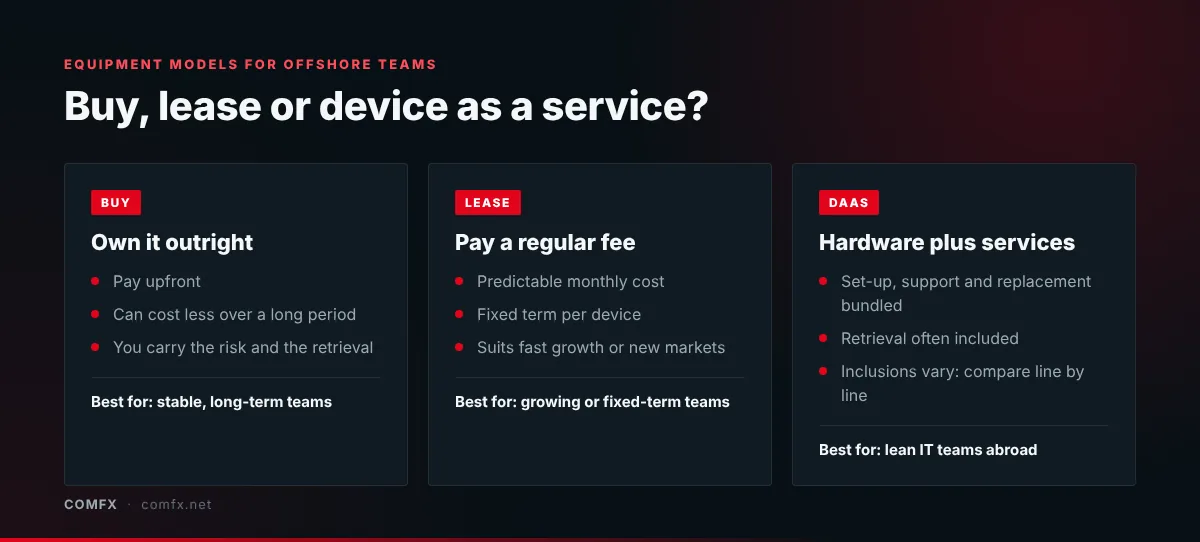
When you compare laptop leasing options, check the minimum term, what happens if a device is damaged or lost, whether support and replacements are included, and what you pay at the end of the term. Our CapEx vs OpEx guide explains how each option affects your budget.
What to agree before you procure anything
- Ownership: who legally owns each device, and who it's insured by, both in transit and at the staff member's home.
- Invoicing and payment: whether the supplier can invoice your overseas entity, which currency they quote in and what payment terms apply.
- Delivery: whether equipment can be sent directly to each staff member's home, including provincial areas outside Metro Manila, and how long that takes.
- Warranty and support: whether devices come with local on-site support, so repairs happen where your staff actually work.
- Offboarding: how devices will be collected and wiped when someone leaves, and who pays for it.
Working with an employer of record in the Philippines
Many overseas companies hire through an employer of record (EOR) in the Philippines, which employs staff locally on their behalf. Some EORs supply equipment as part of their service. Others leave it to you. Check what your EOR includes, and if you're sourcing equipment yourself, make sure the EOR, your IT team and your supplier agree on who handles delivery, support and returns.
Setting devices up remotely
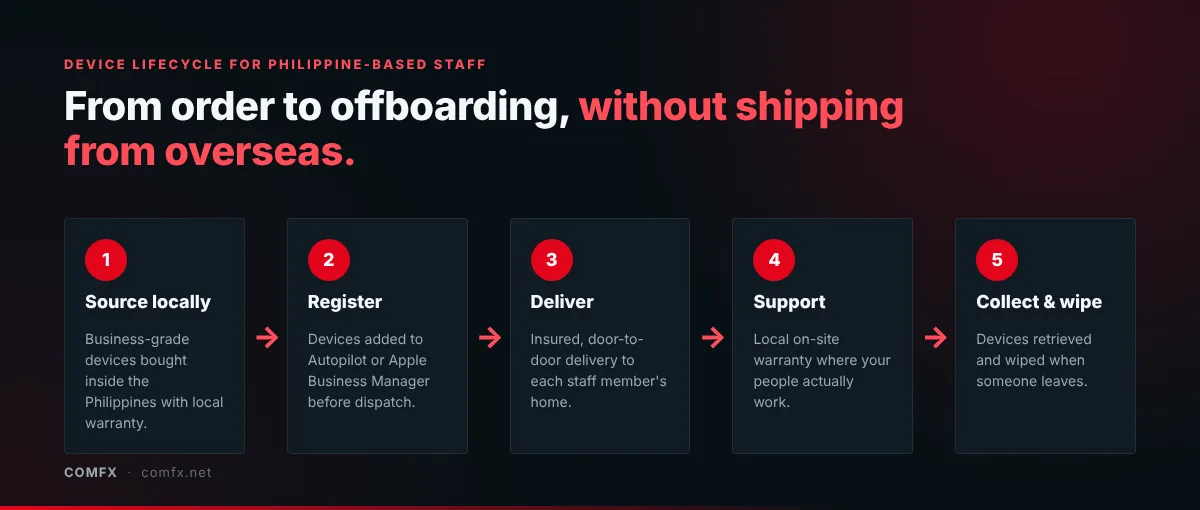
Your IT team doesn't need to be in the Philippines to set up a laptop properly. With Windows Autopilot or Apple Business Manager, devices can ship sealed from the supplier. When your staff member signs in with their company account, your security settings, apps and VPN install automatically. Ask your supplier whether they can register devices to your company's management account before dispatch.
Checklist for IT procurement with an offshore team
- Source equipment locally to avoid customs delays and warranty gaps
- Decide whether buying, leasing or device as a service suits your hiring plans
- Confirm ownership, insurance and who invoices whom
- Choose business-grade laptops with local on-site warranty support
- Set up zero-touch enrolment so devices arrive ready to use
- Agree how devices will be collected and wiped when staff leave
For the practical side of getting kits to people's homes, read how to deliver a company WFH setup across the Philippines.